




ווי אזוי צו פאררעכטן iOS 26 וואס נעמט אויף אייביג צו דאונלאודן?

אַפּדייטן אייער אייפאָון צו iOS 26 זאָל נאָרמאַלערווייַז זיין אַ פּשוטער פּראָצעס, אָבער מאַנטשמאָל קען דער דאַונלאָוד אויסזען ווי עס נעמט אויף אייביק. איר קענט זען אַז די פּראָגרעס באַר בלייבט אַנטשיינדזשד פֿאַר אַ לאַנגע צייט, אָדער די אַפּדייט קען אויסזען סטאַק אויף "דאַונלאָודינג" אָדער "פּרעפּערינג צו דאַונלאָוד." דאָס קען זיין ספּעציעל פראַסטרייטינג ווען איר האָט אַ סטאַביל אינטערנעט פֿאַרבינדונג און אַ סך סטאָרידזש בנימצא.
אין דעם פירער, וועלן מיר דערקלערן די געוויינטלעכע סיבות פארוואס iOS 26 נעמט אזוי לאנג צו דאונלאודן און צושטעלן עטלעכע פראקטישע לייזונגען.

1. פארוואס נעמט iOS 26 אויף אייביק צו דאונלאודן?
איידער איר פרובירט די פיקסעס, דא זענען עטלעכע געוויינטלעכע סיבות פארוואס iOS 26 קען נעמען אזוי לאנג צו דאונלאודן:
- לאַנגזאַמע Wi-Fi: א שוואַכע אָדער נישט־סטאַבילע פֿאַרבינדונג קען פֿאַרלאַנגזאַמען דעם דאַונלאָוד.
- פארנומענע עפל סערווערס: שווערע טראַפיק נאָך אַ גרויסע מעלדונג קען אַפעקטירן דאַונלאָוד גיכקייטן.
- נידעריקע סטאָרידזש: אייער אייפאָון דאַרף גענוג פרייען פּלאַץ פֿאַר דער דערהייַנטיקונג.
- נידעריגע באַטעריע: א נידעריגע באַטעריע קען פֿאַרלענגערן דעם אַפּדייט פּראָצעס.
- סיסטעם פראבלעמען: צייטווייליגע iOS פראבלעמען קענען פירן צו דעם אז דער דאונלאוד זאל בלייבן שטעקן.
- VPN אדער נעץ פראבלעמען: VPN'ס אדער באגרענעצטע נעטוואָרקס קענען שטערן דעם דאַונלאָוד.
- גרויסע דערהייַנטיקונג גרייס: גרויסע iOS דערהייַנטיקונגען קענען נעמען לענגער, ספּעציעל אויף שטייטערע קאַנעקשאַנז.
2. ווי אזוי צו פאררעכטן iOS 26 וואס נעמט אויף אייביג צו דאונלאודן?
פרובירט די פאלגנדע לייזונגען איינס נאכן אנדערן. הייבט אן מיט די פשוטסטע אפציעס איידער איר גייט ווייטער צו מער פארגעשריטענע פראבלעם-לייזונג.
2.1 קאָנטראָלירט אייער Wi-Fi פֿאַרבינדונג
א פארלעסלעכע אינטערנעט פארבינדונג איז וויכטיג צו דאונלאודן iOS 26. קאָנטראָלירט אייער Wi-Fi פֿאַרבינדונג דורך טעסטן אייער אינטערנעט גיכקייט, זיך באַוועגן נענטער צום ראַוטער, ריסטאַרטן דעם ראַוטער, ווידער פֿאַרבינדן אייער iPhone, אָדער איבערגיין צו אַן אַנדער פֿאַרלעסלעכן Wi-Fi נעץ.
2.2 פֿאַרבינדט אייער iPhone צו אַ טשאַרדזשער
פֿאַרבינדט אייער אייפֿאָון צו אַ שטראָם־מקור און האַלט עס אײַנגעשטעקט און פֿאַרבונדן צו Wi-Fi בשעת iOS 26 דאַונלאָודט זיך כּדי צו פֿאַרמײַדן איבעררײַסונגען.
2.3 טשעק די פאַראַנען סטאָרידזש
טשעק דיין פאַראַנען סטאָרידזש דורך גיין צו סעטטינגס> אַלגעמיינע> iPhone סטאָרידזש . אויב אייער אייפאָון לויפט נישט גענוג פּלאַץ, אַראָפּנעמען נישט-נייטיקע אַפּפּס, פאָטאָס, ווידיאס אָדער דאַונלאָודז, און דאַן צוריקקומען צו ווייכווארג דערהייַנטיקן און פרובירט נאכאמאל אראפצולאדן iOS 26.
2.4 ריסטאַרט דיין iPhone
ריסטאַרטן אייער אייפאָון קען דערפרישן סיסטעם פּראָצעסן און פאַרריכטן צייטווייליגע גליטשעס וואָס קענען פאַרלאַנגזאַמען דעם iOS 26 דאַונלאָוד. מאַכט אויס אייער אייפאָון, וואַרט אַ פּאָר סעקונדעס, און דאַן מאַכט עס ווידער אָן, פאַרבינדט זיך ווידער צו Wi-Fi, און קאָנטראָלירט. סעטטינגס> אַלגעמיינע> ווייכווארג דערהייַנטיקן צו זען אויב דער דאַונלאָוד גייט ווייטער.
2.5 פּויזירן אַנדערע דאַונלאָודז
פּויזע גרויס דאַונלאָודז, ווידעא אָדער מוזיק סטרימינג, און אַנדערע נעץ- אינטענסיוו אַקטיוויטעטן בשעת יאָס 26 איז דאַונלאָודינג. דאס באַפֿרײַט אַרויף באַנדברייט און קענען הילף די דערהייַנטיקן אָפּלאָדירן מער גלאַט.
2.6 דיאַקטיווירן VPN צייטווייליק
צייטווייליג אויסלעשן אייער VPN, פארבינדן ווידער אייער אייפון צו א רעגולערע Wi-Fi נעטווארק, און קאנטראלירן סעטטינגס> אַלגעמיינע> ווייכווארג דערהייַנטיקן נאכאמאל. אויב דער דאונלאוד גייט צוריק נארמאל, קען זיין אז די ווי-פי-ען אדער נעטווארק קאנפיגוראציע האט געשטערט דעם אפדעיט.
2.7 טשעק עפל'ס סערווער סטאטוס
עפל'ס סערווערס קענען דערפאַרן שווערע טראַפיק ווען אַ נייע iOS ווערסיע ווערט ארויסגעגעבן. קוקט עפל'ס סיסטעם סטאַטוס בלאַט פֿאַר סערוויס פּראָבלעמען. אויב אַן אויספֿאַל ווערט געמאָלדן, וואַרט ביז עס איז געלעזט איידער איר פּרוּווט ווידער צו דאַונלאָודן iOS 26.
2.8 אויסמעקן און ווידער אראפלאָדן די iOS דערהייַנטיקונג
אויב דער iOS 26 דאַונלאָוד איז סטאַק אָדער קאָרומפּירט, גייט צו סעטטינגס> אַלגעמיינע> iPhone סטאָרידזש , אויסמעקן די דאַונלאָודעד אַפּדייט, ריסטאַרט דיין iPhone, און דאַונלאָוד iOS 26 ווידער פֿון ווייכווארג דערהייַנטיקן מאַכט זיכער אַז איר האָט גענוג סטאָרידזש און אַ סטאַבילע Wi-Fi פֿאַרבינדונג איידער איר פּרוּווט ווידער.
2.9 צוריקשטעלן נעץ סעטטינגס
אויב נעץ פראבלעמען בלייבן, גייט צו סעטטינגס > אַלגעמיין > אַריבערפירן אָדער באַשטעטיק iPhone > באַשטעטיק > באַשטעטיק נעץ סעטטינגס , דערנאך פארבינדט זיך ווידער צו Wi-Fi און פרובירט נאכאמאל אראפלאדן iOS 26.
3. באָנוס: פּרוּווט AimerLab FixMate צו פאַרריכטן iOS פּראָבלעמען
אויב איר האָט פּרובירט די גרונטלעכע מעטאָדן פֿאַר פּראָבלעם־לייזונג אָבער אייער אייפאָון קען נאָך אַלץ נישט פֿאַרענדיקן דעם iOS 26 אַפּדייט, קענט איר באַטראַכטן ניצן AimerLab FixMate.
פיקסמאַטע איז אַן iOS סיסטעם רעפּאַראַטור געצייַג דיזיינד צו העלפֿן אַדרעסירן פֿאַרשידענע ווייכווארג-פֿאַרבונדענע iPhone פּראָבלעמען. עס קען זיין נוצלעך ווען אַן אַפּדייט פּראָבלעם איז באַגלייט מיט סימפּטאָמס אַזאַ ווי אַן iPhone סטאַק אויף די עפּל לאָגאָ, אָפּזוך מאָדע פּראָבלעמען, בוט לופּס, אָדער אנדערע סיסטעם ערראָרס.
אנשטאט צו פרובירן איבער און איבער דעם זעלבן אפדעיט, גיט FixMate א ספעציעלן צוגאנג צו פאררעכטן געוויסע iOS סיסטעם פראבלעמען.
ווי אזוי צו ניצן FixMate:
- דאַונלאָוד און אינסטאַלירן AimerLab FixMate אויף דיין Windows אָדער Mac, דערנאָך לאָנטש די ווייכווארג און פֿאַרבינדט אייער אייפֿאָן צום קאָמפּיוטער מיט אַ USB קאַבל און עפֿנט FixMate.
- אויסקלייבן די פּאַסיקע iOS 26 ווערסיע און נאָכפֿאָלגן די אינסטרוקציעס צו דאַונלאָודן די נויטיקע פירמווער.
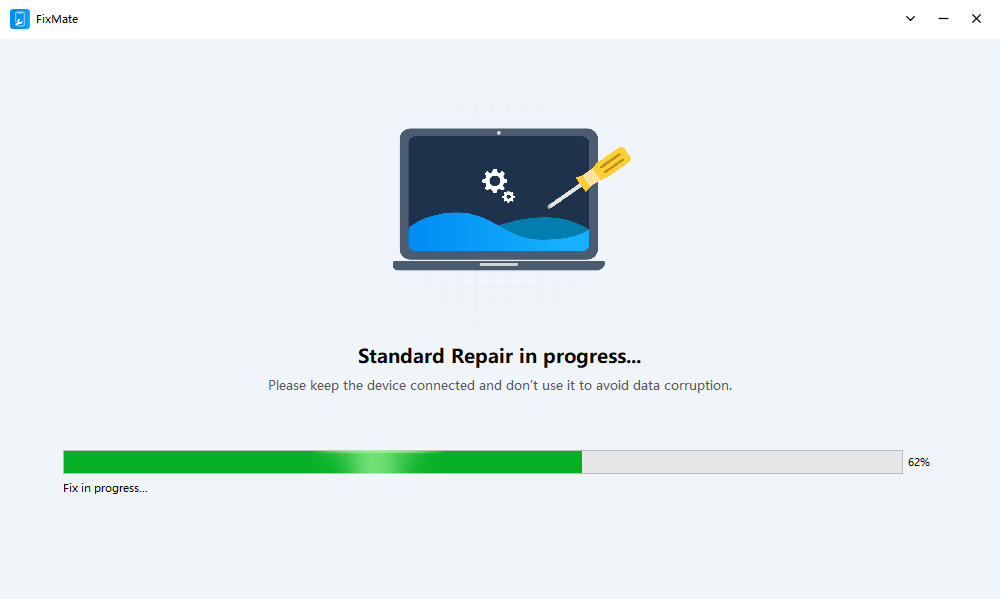
- אָנהייבן דעם פאַרריכטן פּראָצעס און וואַרטן ביז די ווייכווארג וועט ענדיקן די אָפּעראַציע.
- אייער אייפאָון וועט זיך אויטאָמאַטיש ריסטאַרטן. אַמאָל עס וועט זיך ווידער אנצינדן, קאָנטראָלירט די אַפּאַראַט סעטטינגס צו באַשטעטיקן צי עס איז געוואָרן אַפּדייטעד צו iOS 26.
4. מסקנא
ווען iOS 26 נעמט אויף אייביק צו דאַונלאָודן , עס זענען דא עטלעכע זאכן וואָס איר קענט פּרובירן איידער איר נעמט אָן אַז עפּעס איז ערנסט נישט גוט מיט אייער אייפאָון. הייבט אָן דורך קאָנטראָלירן אייער Wi-Fi פֿאַרבינדונג, פֿאַרבינדן דעם מיטל צו מאַכט, באַפֿרייען סטאָרידזש, און ריסטאַרטן דעם אייפאָון. איר קענט אויך פּויזירן אַנדערע דאַונלאָודז, צייטווייליק דיאַקטיווירן אייער VPN, קאָנטראָלירן עפּל'ס סערווער סטאַטוס, אָדער ויסמעקן און ווידער דאַונלאָודן די דערהייַנטיקונג.
פֿאַר שטענדיקע דערהייַנטיקונג דורכפאַלן אָדער ברייטערע iOS סיסטעם פּראָבלעמען, AimerLab FixMate
איז ווערט צו באַטראַכטן ווי אַן נאָך לייזונג. אירע דעדיקירטע iOS סיסטעם פאַרריכטן פֿעיִקייטן קענען העלפֿן אַדרעסירן פֿאַרשידענע ווייכווארג פּראָבלעמען וואָס קען פאַרהיטן דיין iPhone פון נאָרמאַל דערהייַנטיקן. אויב נאָרמאַל טראָובלעשווטינג לייזט נישט די פּראָבלעם,
פיקסמאַטע
גיט א באקוועמען וועג צו פרובירן צו פאררעכטן די אונטערלייגנדע iOS סיסטעם און צוריקברענגען אייער אייפון אויף די ריכטיגע רעלסן.
- ווי אזוי צו פאררעכטן "ווארטן אויף אנדערע אייפאן" סטאק?
- ווי אזוי קען מען זען אָפטע לאָקאַציעס אויף אַן אייפאָון?
- פארוואס איז iOS 26 אזוי לאגי?
- ווי אזוי צו פאררעכטן "עס איז געווען א טעות ביים באשטעטיגן דעם פאסקאוד פון אייער אייפון"?
- ווי אזוי צו פאררעכטן "ענדיג אויף נייעם אייפון" סטאק?
- ווי אזוי קען מען דאונלאודן iOS 27 ביתא אויף אייפאן?
- ווי צו שעפּן פּאָקעמאָן גיין אויף iPhone?
- איבערבליק פון Aimerlab MobiGo גפּס אָרט ספּאָאָפער
- ווי צו טוישן אָרט אויף דיין iPhone?
- Top 5 שווינדל גפּס אָרט ספּאָאָפערס פֿאַר יאָס
- גפּס אָרט פינדער דעפֿיניציע און ספּאָאָפער פאָרשלאָג
- ווי צו טוישן דיין אָרט אויף Snapchat
- ווי צו געפֿינען / שער / באַהאַלטן אָרט אויף יאָס דעוויסעס?